Skip to main content
Revert Archived Dispute Rounds
Overview
The Revert Archived Dispute Round feature allows you to move dispute rounds from the Archive tab back to the Current tab.
This is useful if a dispute round was archived by mistake or if you need to continue working on a previously archived dispute.
When to Use This Feature
Use this feature when:
A dispute round was accidentally archived.
You need to move a dispute round back to the Current list.
You want to continue working on an archived dispute round.
How to Revert an Archived Dispute Round
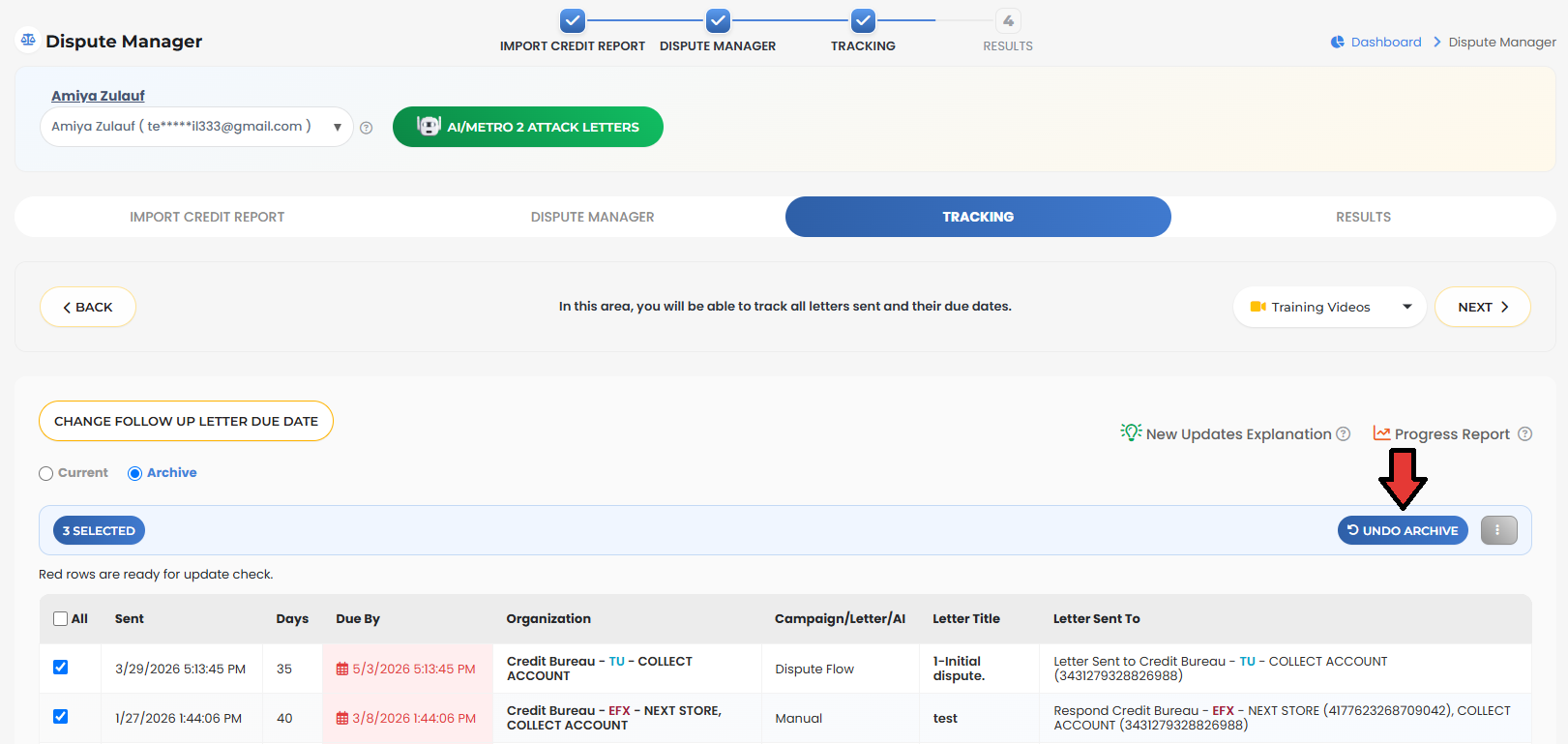
Go to Dispute Manager.
Click the Tracking tab.
Open the Archive section.
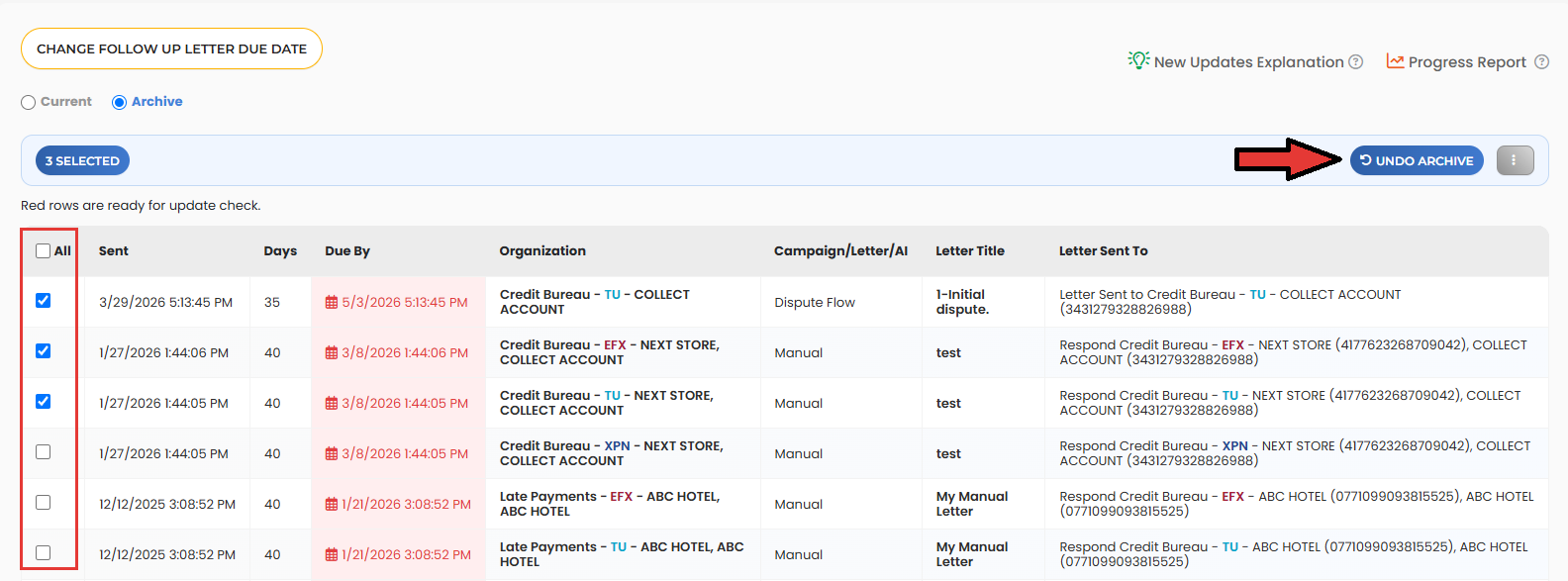
Select the archived dispute round(s) you want to restore.
Click Undo Archive.
Confirm the action.
The selected dispute round(s) will be moved from Archive back to the Current tab.

Important Notes
The Undo Archive button is only visible after selecting one or more archived dispute rounds.
The software displays the number of selected records before performing the action.
You can restore one or multiple dispute rounds at the same time.
After restoring a dispute round, it will no longer appear in the Archive tab and will instead be available under Current.
Additional Information
The action panel is displayed only when records are selected.
If:
No records are selected
There are no dispute rounds available
You first open the Tracking screen
the action panel, including the Undo Archive button, will remain hidden until a dispute round is selected.
Benefits
The Revert Archived Dispute Round feature helps you:
Recover dispute rounds that were archived accidentally.
Continue working on previously archived disputes.
Reduce the need to recreate dispute rounds.
Manage dispute tracking more efficiently.

Comments
0 comments
Please sign in to leave a comment.